Features of Advanced Inventory Count
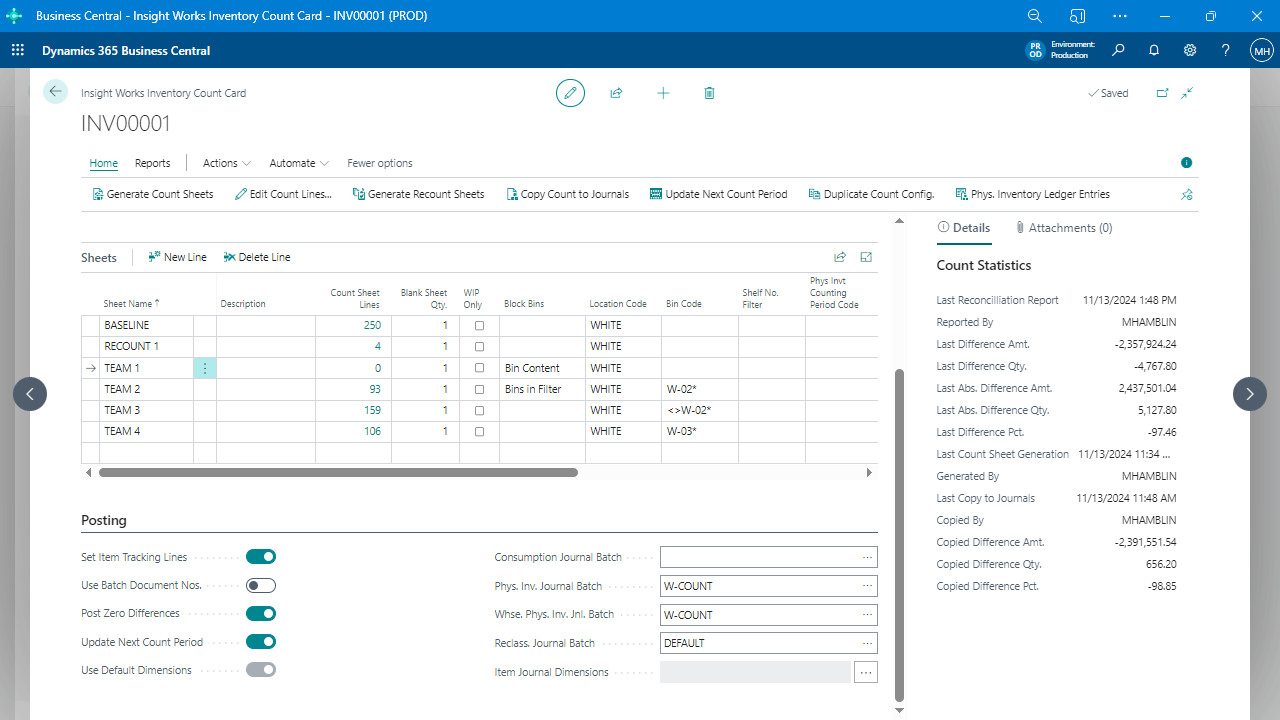
Simplified Count Process
Comprehensive data entry, reconciliation, posting, and analysis tools simplify inventory counts and cycle counts.
Multi-User Count Entry
Speed up manual data entry by allowing multiple users to enter count data simultaneously, regardless of the number of count sheets, data entry staff, or count staff.
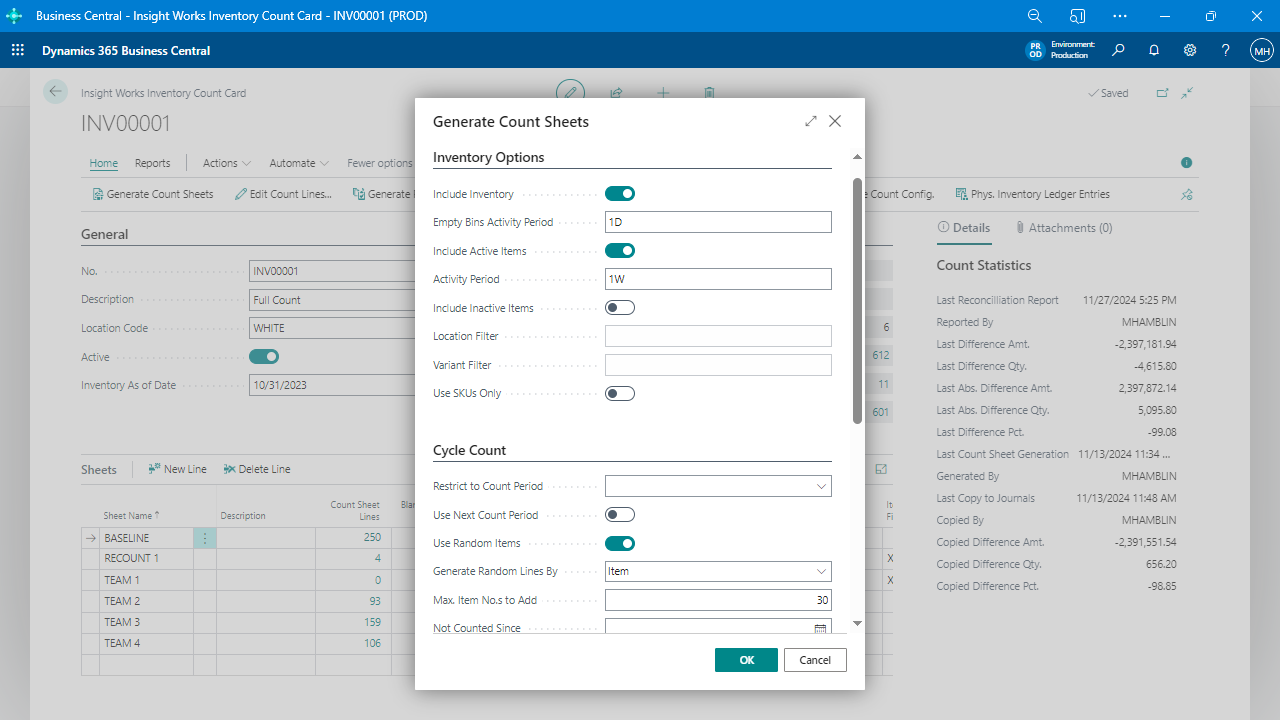
Flexible Count Sheet Generation
Create count sheets that match how your company counts inventory, with tools available to quickly and easily configure count sheets to simplify the inventory count process.
Inventory Barcode Integration
Integrates with the Mobile Warehouse Data Collection app and other external data collection systems to automate inventory counts with barcode scanning, improving count efficiency.
Supports All Location Configurations
Whether you have bins enabled or not or even use “advanced warehousing,” the module will make your next count significantly more efficient, reconciling by lot and serial number.
Powerful Reporting and Reconciliation Features
Identify obsolete inventory, items with improper planning parameters, and the financial impact of those issues, and quickly locate count errors with powerful reporting and reconciliation features.
WIP Counting
Automatically reconcile and post lot or serial number discrepancies, identify and manage WIP, and reconcile it with other counted inventory, and posts the appropriate consumption and inventory adjustment entries.
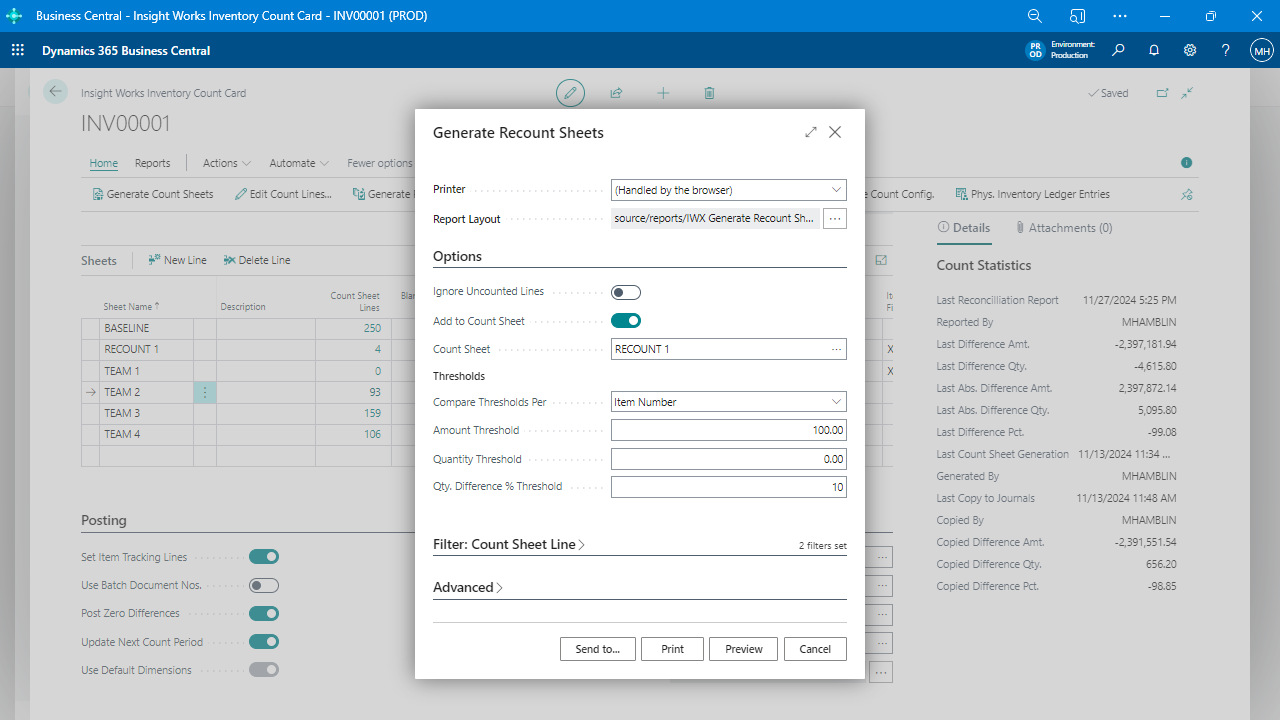
Recount Sheets
Set up formal recounts during full physical counts or cycle counts based on a percentage, value, or quantity variance, with audit trails of the original count quantities and any subsequent recounts.
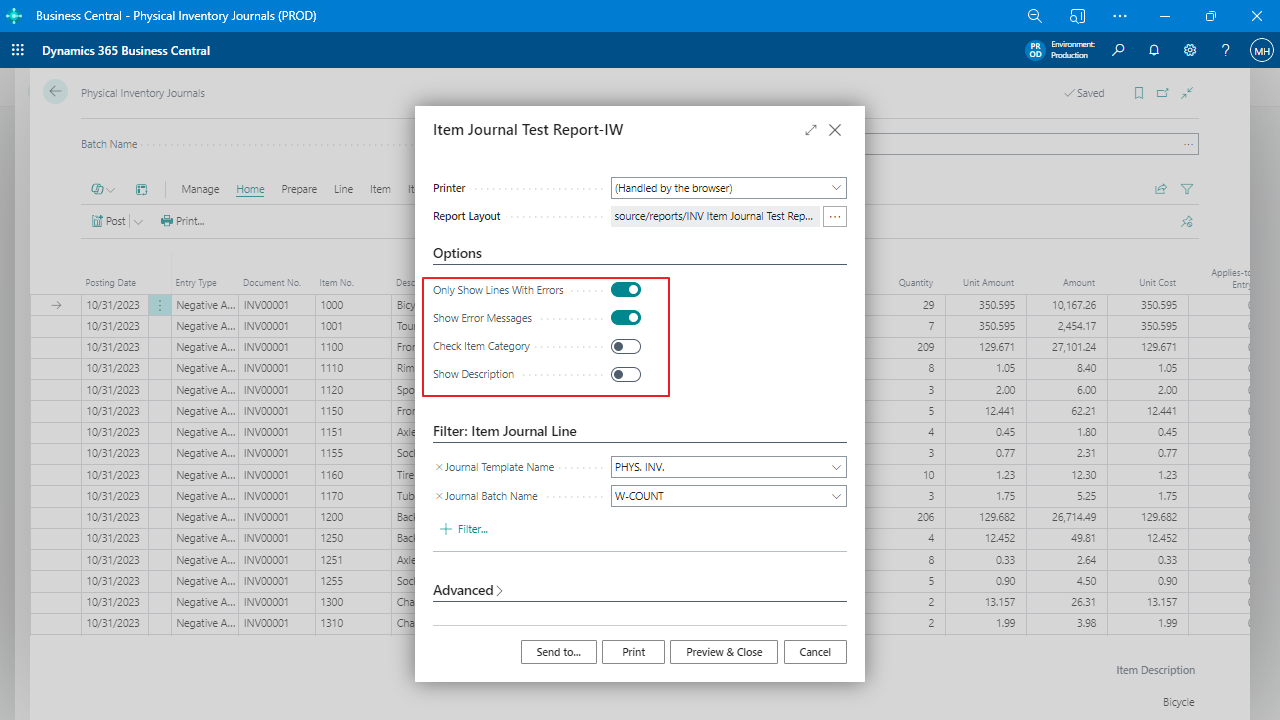
Journal Test Report
Identify anything that may prevent posting, such as blocked items, missing item tracking, missing posting groups, etc., to ensure the data on the journal will post without multiple long, annoying retries.