Hardware for Shop Floor Insight
Shop Floor Insight is a Manufacturing Execution System (MES) app for Microsoft Dynamics 365 Business Central. Shop Floor Insight allows employees to use barcode scanners or touch screens to speed up shop data input for time, material, quality, and more. Selecting the suitable terminals and barcode scanners is a significant aspect of the hardware for apps required by Shop Floor Insight.”
A common question is, “What type of terminal do I need on the shop floor to use Shop Floor Insight?” Below we’ll outline a few of the options to consider.
There are four primary factors when choosing a barcode scanner. These area:
Option 1: Stand Alone Fixed Terminals
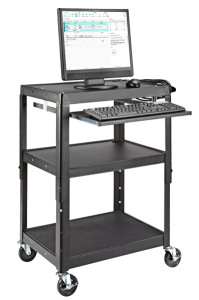
The most common setup for a Shop Floor Insight terminal is a stand-alone terminal available on the shop floor. Depending on the size of your operation, you may consider multiple stations for easy access by all employees.
The terminal consists of a computer with a screen and a barcode scanner. While a mouse and keyboard are unnecessary for Shop Floor Insight, they must be set up and maintained at the terminal.
There are several computer options to choose from. These include:
- Standard Windows PC (with or without a touch screen)
- Chromebox or Chromebook
- Thin Client
- Stick PC
Any of these options will work, and what you choose to deploy will depend on your IT policies, how much you want to invest, and what makes sense for your specific environment.
The terminal may be placed on a centralized workbench or on a cart, depending on your specific environment. Regardless of the location, it’s crucial to ensure that the workstation is easily accessible to those who need to use it. This consideration for accessibility is key in the setup process.
Option 2: Tablets
Some users of Shop Floor Insight consider using tablets. Tablets are not recommended because their smaller screen limits the amount of information that can be displayed. In addition, Microsoft licensing for tablets can get expensive. Finally, Shop Floor Insight does not support Apple’s iOS, so you need to consider a tablet with a Chrome or Windows operating system.
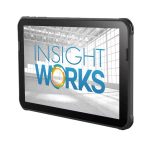
If you think tablets would be better suited, we sell rugged industrial tablets that fit your needs.
Honeywell Scanpal EDA10A Tablet (Built-in Imager/Scanner)
Option 3: Mobile Phones
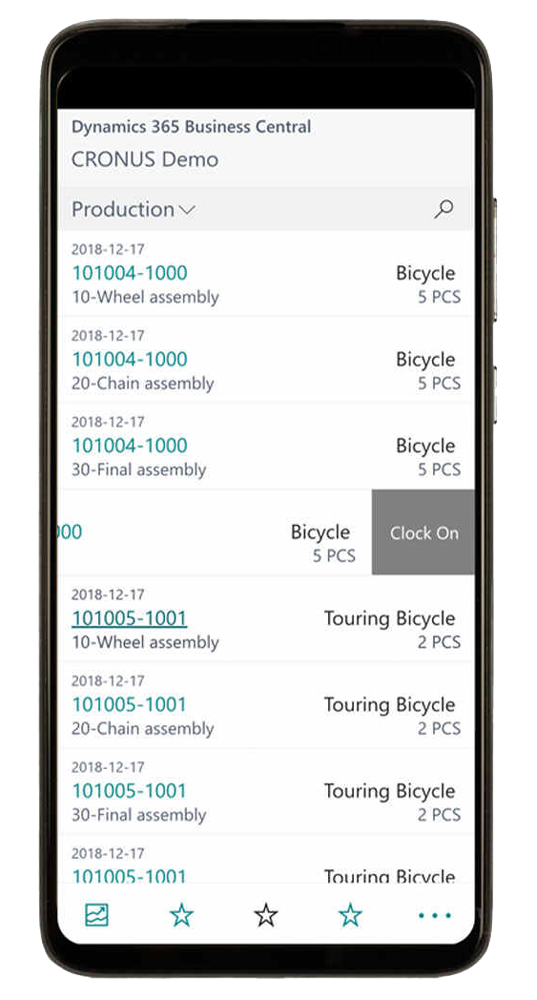
For environments where each user has their own device, Personal Mobile Devices such as smartphones are a viable option for Shop Floor Insight. This setup is ideal for repair shops or on-site work, where mobility and individual access are essential. However, there are key factors to consider:
- Business Central App: The Business Central app is required for mobile phones.
- Licensing: Each user will need a named Business Central license.
- Android and iOS: The Business Central app supports Android (11 or higher) and iOS, making it compatible with most modern smartphones.
- Screen Size: Small screens limit data visibility, requiring frequent navigation between screens.
When selecting a device, balance the need for portability with operational efficiency. Consider rugged devices if durability is a concern in the work environment.
Barcode Scanner Recommendations
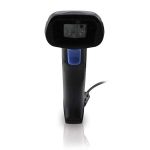
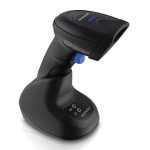
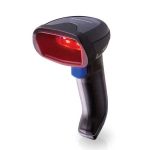
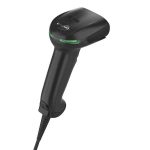
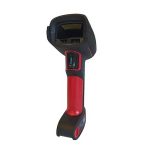
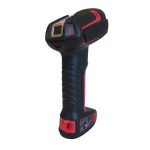
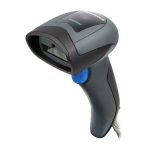
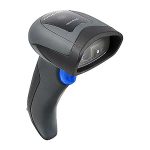
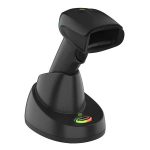
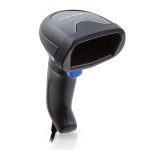
A simple handheld scanner is typically all you need when scanning barcodes at a fixed shipping terminal. These scanners usually connect to a computer or tablet via USB or wirelessly through Bluetooth, providing flexibility and ease of use. Another consideration is the ruggedness you require from a barcode scanner. It’s important to consider whether you need a scanner for 1D, 2D, or both barcodes to ensure compatibility with your specific requirements. Want more information about the things to consider when choosing a barcode scanner? Here is a deeper dive:
- Consistent Connection: Wired barcode scanners provide a stable and reliable connection to your computer or tablet, minimizing interruptions during scanning.
- No Battery Concerns: This feature eliminates the need for battery management, ensuring that the scanner is always powered and ready for use.
- Lower Latency: Offers faster response times compared to wireless options, enhancing the efficiency of scanning operations.
- Cost-Effective Solution: Wired barcode scanners are typically more affordable than their wireless counterparts, making them a budget-friendly choice for fixed shipping terminals.
- Simple Setup: Wired barcode scanners are easy to set up and operate, with a straightforward plug-and-play functionality, making them user-friendly for all levels of staff.
- Less Interference: Wired connections are immune to wireless interference, ensuring consistent performance in busy environments.
- Durability: Often built to withstand harsh warehouse conditions, providing long-lasting performance in demanding settings.
- Enhanced Mobility: Wireless scanners allow users to move freely within the shipping area, increasing efficiency and reducing scanning delays.
- No Cords to Tangle: Eliminates clutter from cables, creating a more organized and safer workspace.
- Versatile Use: Ideal for scanning in various locations, such as on the floor, shelves, or other hard-to-reach areas within the warehouse.
- Instant Deployment: Wireless scanners are easy to connect via Bluetooth or other wireless technologies, enabling fast deployment without the need for complex installations saving time and resources.
- Extended Range: Many wireless scanners have a significant range, allowing users to operate away from the main terminal without losing connection.
- Improved Ergonomics: Typically designed for comfortable handling, reducing fatigue during extended use in high-volume scanning environments.
- Battery Flexibility: Some models come with rechargeable batteries, providing convenience and reducing the need for constant replacements.
- Lightweight and Compact: They are often smaller and lighter, making them easier to handle in everyday office or retail environments.
- Lower Cost: Generally more affordable, as they are built for less demanding applications.
- Sufficient for Indoor Use: It is ideal for environments where the risk of drops or exposure to harsh conditions is minimal.
- Basic Features: You may need more advanced features like high drop resistance or waterproofing, focusing instead on essential scanning capabilities.
- Less Battery Life: Often rely on standard batteries, which may require more frequent charging or replacements.
- Durability: Designed to withstand harsh environments, including drops, vibrations, and exposure to dust and moisture.
- Temperature Tolerance: Our product is built to operate in extreme temperatures, making it a reliable choice for outdoor and industrial use.
- Enhanced Protection: Often feature sealed enclosures (e.g., IP ratings) to protect against water and dust ingress.
- Longer Lifespan: Generally have a longer operational lifespan due to robust construction and materials.
- Ergonomic Design: Typically designed for extended use in demanding conditions, ensuring comfort and ease of handling.
- Simple Structure: 1D barcodes consist of parallel lines and spaces, encoding data in a linear format that is easy to scan with standard barcode readers.
- Limited Data Capacity: They typically hold up to 20-25 information characters, making them suitable for essential product identification and pricing.
- Widespread Use: Commonly found on retail products, shipping labels, and inventory items, 1D barcodes are recognized worldwide and supported by most scanning systems.
- Complex Data Encoding: 2D barcodes, such as QR and Data Matrix codes, can store significantly more information than 1D barcodes, including alphanumeric data, URLs, and other complex information.
- Versatile Applications: They are used in various applications, including inventory management, marketing campaigns, mobile payments, and event ticketing, allowing for innovative user interactions.
- Enhanced Scanning Flexibility: 2D barcodes can be scanned from various angles and orientations, making them more user-friendly and efficient for quick scanning in dynamic environments.