
Hardware for Dynamic Ship

Selecting the proper hardware for the Dynamic Ship app from Insight Works is crucial for efficient shipping within Microsoft Dynamics 365 Business Central. This app allows users to manage outgoing shipments via the Business Central Windows or web client, utilizing barcode scanning for commands and product identification. Typically, fixed shipping stations only need a computer terminal connected to Business Central, so mobile computers are often unnecessary. Hardware from top brands like Honeywell, Datalogic, and Zebra integrates seamlessly with the app for streamlined shipping processes.

There are four primary factors to consider when choosing a Barcode scanner. These are:

Ruggedness

"Rugged" barcode scanners are built to endure harsh conditions, including extreme temperatures, moisture, and impacts, ensuring reliable performance in demanding environments.

Scan Range

"Scan range" refers to the distance from which a barcode scanner can accurately read barcodes, ensuring precise data capture at varying distances and visibility conditions.

Scanning Capabilities

Scanning capabilities refer to a barcode scanner's ability to read 1D barcodes for simple data and 2D barcodes for complex information.

Price

The price of a barcode scanner is influenced by specific features such as ruggedness, scan range, and scanning capabilities.

Please check out the “How to Choose a Mobile Computer to use with Business Central” article to dive deep into understanding these factors. Alternatively, you can watch our “How to Choose Barcode Scanners for Business Central” video.

Barcode Scanner Recommendations

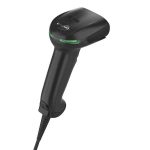
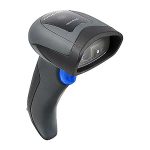
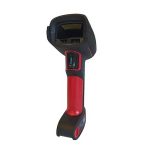
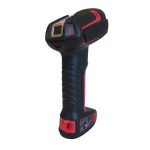
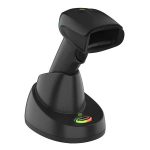
A simple handheld scanner is typically all you need when scanning barcodes at a fixed shipping terminal. These scanners usually connect to a computer via USB or wirelessly through Bluetooth, providing flexibility and ease of use. Another consideration is the ruggedness you require from a barcode scanner. It’s important to consider whether you need a scanner for 1D, 2D, or both barcodes to ensure compatibility with your specific requirements. Want more information about the things to consider when choosing a barcode scanner? Here is a deeper dive:
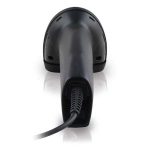
  • Consistent Connection: Wired barcode scanners provide a stable and reliable connection to your computer or tablet, minimizing interruptions during scanning.
  • No Battery Concerns: This feature eliminates the need for battery management, ensuring that the scanner is always powered and ready for use.
  • Lower Latency: Offers faster response times compared to wireless options, enhancing the efficiency of scanning operations.
  • Cost-Effective Solution: Wired barcode scanners are typically more affordable than their wireless counterparts, making them a budget-friendly choice for fixed shipping terminals.
  • Simple Setup: Wired barcode scanners are easy to set up and operate, with a straightforward plug-and-play functionality, making them user-friendly for all levels of staff.
  • Less Interference: Wired connections are immune to wireless interference, ensuring consistent performance in busy environments.
  • Durability: Often built to withstand harsh warehouse conditions, providing long-lasting performance in demanding settings.
  • Enhanced Mobility: Wireless scanners allow users to move freely within the shipping area, increasing efficiency and reducing scanning delays.
  • No Cords to Tangle: Eliminates clutter from cables, creating a more organized and safer workspace.
  • Versatile Use: Ideal for scanning in various locations, such as on the floor, shelves, or other hard-to-reach areas within the warehouse.
  • Instant Deployment: Wireless scanners are easy to connect via Bluetooth or other wireless technologies, enabling fast deployment without the need for complex installations saving time and resources.
  • Extended Range: Many wireless scanners have a significant range, allowing users to operate away from the main terminal without losing connection.
  • Improved Ergonomics: Typically designed for comfortable handling, reducing fatigue during extended use in high-volume scanning environments.
  • Battery Flexibility: Some models come with rechargeable batteries, providing convenience and reducing the need for constant replacements.
  • Lightweight and Compact: They are often smaller and lighter, making them easier to handle in everyday office or retail environments.
  • Lower Cost: Generally more affordable, as they are built for less demanding applications.
  • Sufficient for Indoor Use: It is ideal for environments where the risk of drops or exposure to harsh conditions is minimal.
  • Basic Features: You may need more advanced features like high drop resistance or waterproofing, focusing instead on essential scanning capabilities.
  • Less Battery Life: Often rely on standard batteries, which may require more frequent charging or replacements.
  • Durability: Designed to withstand harsh environments, including drops, vibrations, and exposure to dust and moisture.
  • Temperature Tolerance: Our product is built to operate in extreme temperatures, making it a reliable choice for outdoor and industrial use.
  • Enhanced Protection: Often feature sealed enclosures (e.g., IP ratings) to protect against water and dust ingress.
  • Longer Lifespan: Generally have a longer operational lifespan due to robust construction and materials.
  • Ergonomic Design: Typically designed for extended use in demanding conditions, ensuring comfort and ease of handling.
  • Simple Structure: 1D barcodes consist of parallel lines and spaces, encoding data in a linear format that is easy to scan with standard barcode readers.
  • Limited Data Capacity: They typically hold up to 20-25 information characters, making them suitable for essential product identification and pricing.
  • Widespread Use: Commonly found on retail products, shipping labels, and inventory items, 1D barcodes are recognized worldwide and supported by most scanning systems.
  • Complex Data Encoding: 2D barcodes, such as QR and Data Matrix codes, can store significantly more information than 1D barcodes, including alphanumeric data, URLs, and other complex information.
  • Versatile Applications: They are used in various applications, including inventory management, marketing campaigns, mobile payments, and event ticketing, allowing for innovative user interactions.
  • Enhanced Scanning Flexibility: 2D barcodes can be scanned from various angles and orientations, making them more user-friendly and efficient for quick scanning in dynamic environments.

Printers

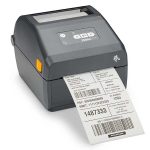
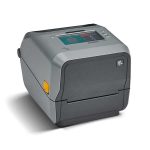
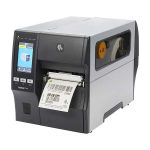
For printing shipping labels with the Dynamic Ship app, dedicated label printers are preferred over typical office printers. These printers are specifically designed to meet the demands of shipping operations, ensuring high-quality and reliable label production. Here is what we recommend:

Recommended label printers

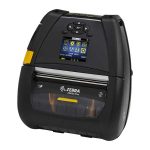
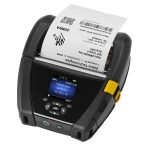
Label printers enhance efficiency in shipping operations by providing fast printing speeds and high-volume capabilities, ensuring timely label production. Their adhesive backing allows for secure attachment to various surfaces, while the mobility of portable models facilitates easy movement and direct label application where needed.

  • Fast Printing Speeds: Label printers are designed for quick-label production, significantly reducing wait times during shipping operations.
  • High-Volume Capability: They can handle large batches of labels without compromising quality, making them ideal for busy shipping environments.
  • Label printers are not one-size-fits-all. They offer the flexibility to print labels in various sizes and formats, catering to a wide range of shipping needs.
  • Integration with Software: Label printers often seamlessly integrate with shipping and inventory management software, streamlining the printing process directly from applications like Dynamic Ship.
  • Label printers are not just about speed and volume. They also deliver durability, producing labels that can withstand the rigors of shipping, ensuring they remain legible throughout the journey.
  • Reduced Waste: Label printers minimize paper waste by allowing for precise label cutting and design, optimizing material usage.
  • User-Friendly Features: Many models have intuitive interfaces and easy setup, enhancing usability and reducing staff training time.
  • Secure Attachment: Adhesive backings ensure that labels stay firmly attached to packages during transit, reducing the risk of labels falling off or becoming unreadable.
  • Versatile Applications: Adhesive labels can be applied to various surfaces, including cardboard, plastic, and metal, making them suitable for diverse packaging materials.
  • Pre-printed adhesive labels are a time-saving solution for your shipping needs. They streamline the process, allowing for quick application without the hassle of additional adhesives or tapes.
  • Clear Information Display: Adhesive labels provide a professional and organized appearance and clearly display essential shipping and product information.
  • Customizable Designs: Users can easily create and print custom adhesive labels that meet specific branding or regulatory requirements.
  • Ease of Use: Adhesive backings facilitate easy application and removal, allowing for quick adjustments during packaging without damaging the product.
  • Adhesive labels are a cost-effective solution for your shipping operations. By reducing the need for separate labeling tools and materials, they provide a more economical way to manage your shipments.
  • Compact Design: Many label printers are lightweight and compact, allowing for efficient transportation around the warehouse or shipping area.
  • Battery-Powered Options: Some label printers have battery power, allowing for portable use without being tethered to a power outlet.
  • Wireless Connectivity: Wireless label printers enable users to print labels from mobile devices or computers without cumbersome cables.
  • Flexible Placement: Their mobility allows for flexible placement near packing stations, reducing the need to move packages to a fixed printer location.
  • Quick Setup: Many mobile label printers require minimal setup, allowing you to start printing labels quickly and efficiently, relieving you from the worry of complex installation and boosting your confidence in the product’s efficiency.
  • Ergonomic Handling: Designed for your comfort, portable label printers often feature ergonomic grips, making them easy to hold and operate during label application, ensuring you feel at ease and comfortable while using the product.
  • Versatile Use Cases: It is ideal for various applications, such as inventory management, shipping, and labeling on the go, enhancing overall productivity.

NOT Recommended office printers

Using office printers for label printing often leads to inefficiencies, as they are typically slower and less reliable than dedicated label printers. Additionally, the lack of adhesive backing and stationery design complicates the labeling process, resulting in increased labor costs and potential shipping errors.
  • With their slower printing speeds, office printers can significantly impede shipping operations, particularly during peak periods of high volume. This can lead to delays and potential customer dissatisfaction.
  • Office printers often come with limited label size options, which can restrict the level of customization needed for specific shipping requirements. This lack of flexibility can hinder efficient operations.
  • Inconsistent Print Quality: Office printers may produce labels that smudge or fade, compromising readability and causing potential shipping errors.
  • Incompatibility with Label Formats: Many office printers must be optimized for adhesive label stock, resulting in misfeeds or jams during printing.
  • Higher Ink Costs: Printing labels on office printers can be more expensive due to higher ink consumption, especially for larger batches.
  • Increased Waste: Inefficient label alignment and setup can lead to more paper waste than dedicated label printers that optimize material usage.
  • Lack of Integration: Office printers often need to seamlessly integrate with shipping software, complicating the printing process and increasing manual input.
  • Poor Adhesion: Labels printed on regular printer paper lack adhesive backing, making them prone to peeling or falling off during shipping.
  • Need for Additional Adhesives: Users must apply additional glue or tape without adhesive backing, which complicates the labeling process and increases preparation time.
  • Inconsistent Label Application: The need for separate adhesives can lead to uneven application, resulting in labels that do not adhere properly and may obstruct important information.
  • Compromised Label Durability: Labels without adhesive backing are less durable and more susceptible to damage, especially in rough handling or adverse weather conditions.
  • Increased Risk of Label Loss: Labels without adhesive backing are more prone to getting lost or misplaced during transit, posing a significant risk of shipment errors and delays.
  • Limitations on Surface Compatibility: Regular paper labels may not adhere well to all surfaces, thereby limiting their use across various packaging materials and necessitating a more versatile labeling solution.
  • Higher Labor Costs: The added steps required to secure labels without adhesive backing increase labor costs and reduce overall operational efficiency.
  • Fixed Location: Office printers are typically installed in a designated area, limiting access and requiring employees to transport items back and forth for labeling.
  • Inconvenient Workflow: Moving packages to a stationary printer can disrupt the workflow, causing delays in shipping and processing times.
  • Space Constraints: Office printers often occupy valuable workspaces, making optimizing layout and efficiency in busy shipping or packing areas challenging.
  • Limited Reach: Employees may have to navigate obstacles to reach a stationary printer, which can slow operations and lead to inefficiencies.
  • Reduced Flexibility: Office printers’ fixed placement restricts their use in various locations, preventing staff from printing labels where they are most needed.
  • Increased Physical Strain: Regularly transporting heavy packages to and from a stationary printer can lead to physical strain and inefficiency among workers.
  • Less Adaptability: Stationary printers need help accommodating workflow or operational needs changes, hindering their responsiveness to fluctuating demands.

Scales

When you connect a compatible scale to Dynamic Ship, package weights will be automatically brought into Business Central and used when requesting shipping rates. There are many scale options on the market depending on the requirements of your operation. When selecting a scale to interface with Dynamic Ship, ensure the scale is USB enabled. Additional configuration is required to use a scale with Business Central, so please speak with your Microsoft Partner for details.