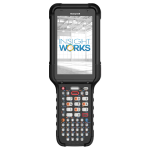
When helping people decide which keyboard layout to choose for the Honeywell CK67 mobile computer, it’s essential to consider the specific use cases and environments where the device will be deployed. Each keyboard layout is designed to optimize different types of work, from basic numeric entry to total alphanumeric input.
Factors to Consider:
Input Type: An alphanumeric keyboard is essential for heavy text entry tasks (e.g., product descriptions and long codes). If the task is primarily numeric, choose a numeric keyboard.
Work Environment: In fast-paced environments where users wear gloves (e.g., cold storage or outdoors), a layout with larger keys might be easier to handle.
Task Complexity: If your workflows frequently use function keys for specialized tasks (e.g., toggling between different screens or functions), consider a layout with a wide range of function keys.
Ergonomics: Consider how comfortable and fast the operator can type on the keyboard, especially when switching between different input types. Workers who primarily enter numbers but need occasional function key access will benefit from a numeric keypad with function keys. Factors to Consider:

53-Key Alphanumeric

51-Key Alphanumeric

42-Key Numeric

38-Key Numeric

31-Key Large Numeric
Here’s a breakdown of attributes and benefits of the different keyboards:
- 53-Key
- 51-Key
- 42-Key
- 38-Key
- 31-Key
Keyboard Layout |
53-Key
|
51-Key
|
42-Key
|
38-Key
|
31-Key
|
Alphanumeric input |
|||||
Frequent numeric input |
|||||
Dedicated function keys |
F1-F20 | F1-F12 | F1-F24 | F1-F24 | |
Dedicated arrow keys |
|||||
Compact layout |
|||||
Ideal for warehouse/logistics |
|||||
Best for manufacturing |
|||||
High-frequency numeric data entry |
|||||
Minimal text input needed |
|||||
Suitable for field service/inventory management |
|||||
Large, easy-to-press keys |
|||||
Suitable for menu navigation |
|||||
Easy access to special characters |
|||||
Best for power users |
|||||
Requires minimal training to use |
|||||
Multiple shift keys for quick mode switching |
|||||
Quick access to arrow/navigation keys |
|||||
Efficient data entry for POS systems |
|||||
Functionality for automated process control |
|||||
Flexibility for custom user configurations |
|||||
Best for scanning and logging product quantities |
|||||
By analyzing these attributes and benefits, you can guide users in choosing the keyboard that best suits their operations, ensuring productivity and ease of use with the CK67 mobile computer.
Shop Online for Honeywell CK67
The Honeywell CK67 mobile computer is available in several configurations to meet specific operational requirements, highlighting the importance of choosing a model that incorporates the necessary features for optimal performance:
- Keyboard Options: Select from alphanumeric, numeric function, and large numeric keypads to match data entry preferences.
- Memory Capacity: Options include 8 GB DDR4x RAM and 128 GB UFS Flash storage, accommodating varying application and data storage needs.
- Camera Options: Depending on your requirements for image capture and barcode scanning, choose models with or without a 13-megapixel rear and 8-megapixel front-facing cameras.
- Scan Range: Equipped with the FlexRange™ XLR scan engine, the CK67 supports diverse scanning distances, from short to extended ranges, suitable for various operational needs.
- Form Factor: Available in a traditional handheld design, with an ergonomic scan handle to improve efficiency in scanning-intensive tasks.
Selecting the proper CK67 configuration ensures the device is precisely tailored to boost productivity and meet the specific demands of your operational environment. Here are the models Insight Works offers:
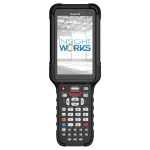
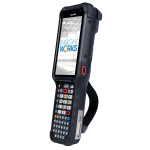
Honeywell CK67 Standard Range, 38 Key Numeric F-Key, with Camera Mobile Computer
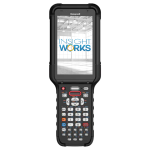
Honeywell CK67 Flexrange, 38 Key Numeric F-Key, with Camera Mobile Computer
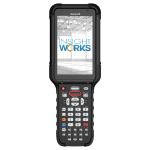
Honeywell CK67 Flexrange XLR, 38 Key Numeric F-Key, with Camera Mobile Computer
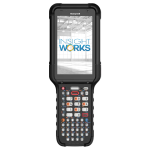
Honeywell CK67 Flexrange, 51 Key Alphanumeric, with Camera Mobile Computer
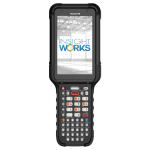
Honeywell CK67 Flexrange XLR, 51 Key Alphanumeric, with Camera Mobile Computer