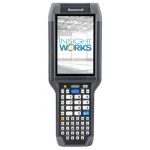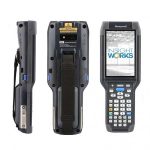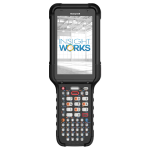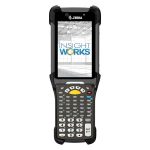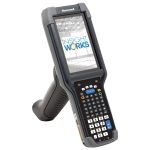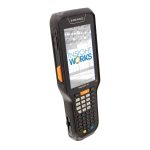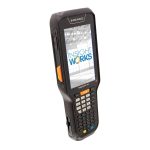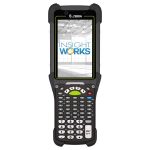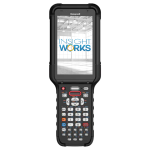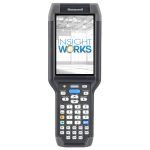
Hardware for WMS Express

Selecting the proper hardware for WMS Express is essential for optimizing your warehouse management experience. This versatile, cloud-based system for Microsoft Dynamics 365 Business Central enhances supply chain capabilities through efficient inventory control and mobile device integration. It seamlessly supports a variety of Android-based handheld devices from top brands like Datalogic, Honeywell, and Zebra.

There are five primary factors to consider when choosing a mobile computer. These are:

Ruggedness

"Rugged" mobile computers are designed to withstand harsh conditions, including extreme temperatures, moisture, and impacts.

Scan Range

"Scan range" refers to the distance at which a scanner can accurately read barcodes or QR codes.

Camera

In mobile computers, "camera" refers to the device's imaging component used for capturing photos, scanning barcodes, and enabling augmented reality applications.

Form Factor

"Form factor" refers to the size, shape, and design of a mobile device, influencing its usability and compatibility in various environments.

Price

The price of a mobile device is influenced by specific features such as ruggedness, scan range, camera, and form factor.

Please check out the “How to Choose a Mobile Computer to use with Business Central” article to dive deep into understanding these factors. Alternatively, you can watch our “How to Choose Barcode Scanners for Business Central” video.

Mobile Computer Recommendations

Recommended

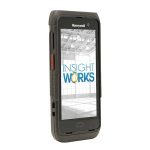
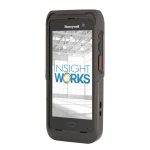
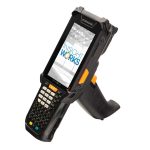
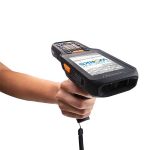
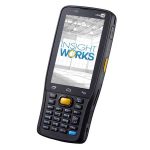
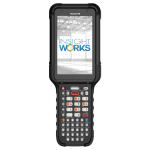
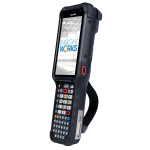
To enhance your experience with the WMS Express app and Business Central, we recommend using commercial-grade mobile computers from leading brands like Datalogic, Zebra, and Honeywell. Here’s why:

  • High Durability: Resists wear and tear in tough environments.
  • Long-term Performance: Built to last, reducing the need for frequent replacements.
  • Enhanced Protection: Designed to withstand drops, dust, and moisture.
  • Reliable Operation: Consistent performance under various conditions.
  • Maintenance Support: Often includes robust support and service plans.
  • Industry Compliance: Meets relevant safety and operational standards.
  • Form Factor: Choose the design that fits your workflow.
  • Camera vs. Scan Engine: Equipped with scan engines for superior barcode scanning efficiency.
  • Scan Range: Options for various scanning distances.
  • Ruggedness: Devices that withstand tough conditions.
  • Battery Life: Batteries that will get you through an entire shift.
  • Price: Solutions to fit every budget
  • Speed: Quick, accurate scans to keep operations moving.
  • Off-Axis Scanning: Flexibility to scan barcodes from different angles.
  • Dirty Barcodes: Read barcodes in less-than-ideal conditions.
  • Lighting Conditions: Perform in a variety of lighting environments.
  • Distance: Scan from close to long range depending on model.

NOT Recommended

While finding the perfect tools for your warehouse operations is essential, knowing what to avoid is equally important. Insight Works advises against the following device options for the WMS Express app due to their limitations in a warehouse setting:

  • Inefficiency: A cumbersome setup that hinders mobility and productivity.
  • Ergonomic Issues: Difficult to operate with one hand on the scanner and the other on a laptop or tablet, leading to potential strain and inefficiency.
  • Sightline Problems: Fixed computers or tablets on carts often keep the screen out of direct line of sight, complicating task confirmation.
  • Inadequate Scanning: Lacking dedicated scan engines, relying on camera for barcode processing which can be slow and unreliable.
  • Durability Concerns: Not built to withstand the drops and rough handling typical in warehouse environments. Mobile computers offer 4′ to 10′ drop durability depending on the model.
  • Ergonomic Shortfalls: Non-ergonomic design can lead to soreness and fatigue after extended use.
  • Limited Durability: Less resistant to rough conditions.
  • Performance Issues: May struggle under intensive warehouse operations.
  • Compatibility Concerns: Challenges with integrating specialized warehouse hardware.
  • Less Customization: Fewer options for industrial-specific tweaks.
  • Security Risks: Potentially inadequate for stringent data protection needs.
  • Support Limitations: May lack specialized technical support for industrial use.
  • High Compatibility: Android boasts extensive compatibility with commercial and warehouse applications, offering a robust platform for a variety of operational needs.
  • Industry Preference: The shift reflects a broader industry trend towards Android due to its adaptability and support for specialized applications.
  • Limited iOS Support: Unlike Android, iOS has shown limited compatibility with the specific needs of commercial and warehouse applications, impacting its viability as a choice for these settings.

Tablet Pros and Cons

While mobile computers are the preferred option for WMS Express users, there are innovative scenarios where tablets can provide unique advantages. In environments where mounting a tablet to a pick cart or forklift boosts operational efficiency, the versatility of tablets can be effectively utilized. These setups allow workers to free their hands for more efficient picking and driving, though they also come with specific considerations.

Pros of using a tablet

  • Lower Initial Cost: Tablets are cheaper than rugged devices.
  • Reduced Replacement Costs: Less expensive to replace.
  • Economical for Scaling: Affordability aids business expansion.
  • Versatile Use: Handles multiple functions.
  • Availability: Easily available with bulk discounts.
  • Minimal Training Required: Familiar interfaces reduce training.
  • Clearer Data Display: Larger screens show detailed WMS data more clearly.
  • Improved Access: Easy viewing of picking lists, item locations, and inventory levels.
  • Better Decision-Making: Clear data presentation aids quicker, informed decisions.
  • Increased Efficiency: Accessible operational instructions streamline tasks.
  • User-Friendly: Intuitive interfaces enhance user interaction and productivity.

Cons of using a tablet

  • Requires Scanners: Tablets often need handheld scanners for barcode scanning.
  • Limited Mobility: Scanners restrict user movement to a certain range from the tablet.
  • Additional Equipment: Necessitates carrying extra devices, increasing physical burden.
  • Setup Complexity: More gear to set up and maintain.
  • Increased Costs: Additional expenses for purchasing and managing scanners.
  • Training Needs: Users must learn to operate both tablets and scanners effectively.
  • Variable Visibility: Screen viewability can vary with environmental conditions and mounting.
  • Ergonomic Risk: Improper setup may cause physical strain or injury over time.
  • Adjustment Needs: May require frequent repositioning for optimal viewing.
  • Long-Term Use: Extended use without ergonomic support can lead to discomfort.
  • Mounting Limitations: Fixed positions can restrict optimal screen alignment.
  • Eye Strain: Prolonged viewing of poorly positioned screens can cause eye fatigue.
  • Accessibility Issues: May not accommodate all users’ ergonomic needs effectively.
 
  • Limited Reach: Tablets must stay within view and reach, restricting mobility.
  • Cart Dependency: Requires moving a pick cart to each location, impractical in some layouts.
  • Forklift Specific: Benefits are confined to forklift operations, not manual picking.
  • Layout Constraints: Not suitable for all warehouse designs.
  • Task Restriction: Doesn’t support a range of manual tasks.
  • Efficiency Impact: Can slow down operations where mobility is crucial.
  • Accessibility Issues: May be hard to access in dense or complex storage areas.

Label Printers

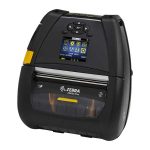
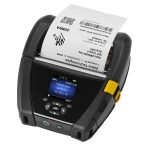
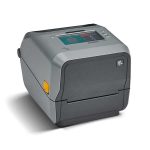
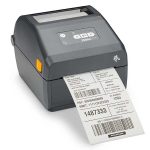
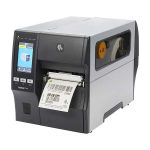
For users of the WMS Express app, printing barcode labels for products or packages is essential. When selecting hardware for this function, choosing a label printer that aligns with your operational needs is important.

Label printers vary in price and features, including wireless connectivity, compatibility with various label stocks, and color or monochrome printing options.

Insight Works offers a curated selection of label printers that are compatible with the WMS Express app.