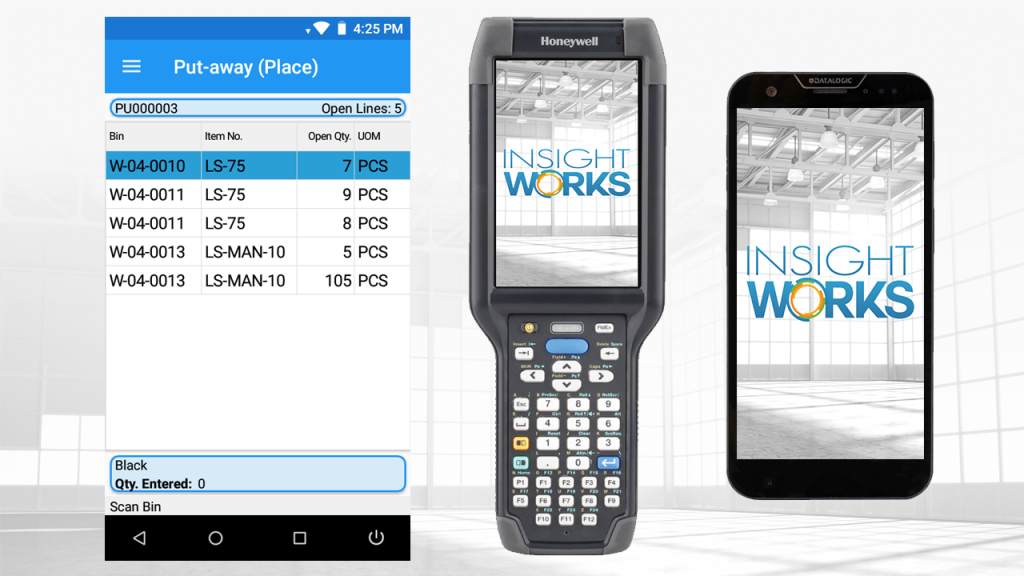


Inefficient receiving processes can create significant bottlenecks in your supply chain, leading to delays, higher labor costs, and increased error rates. When goods arrive at the dock but take too long to verify, record, and store, it impacts everything downstream—from inventory accuracy to order fulfillment times.
Microsoft Dynamics 365 Business Central (BC) provides robust built-in tools for managing inbound warehouse activities, including receiving and put-away. These features can be further enhanced with extensions like Warehouse Insight from Insight Works, which adds real-time barcode scanning, streamlined workflows on handheld devices, and advanced capabilities, such as license plate tracking. This combination helps businesses achieve faster, more accurate inbound operations—often reducing receiving cycle times by 20-30% through reduced manual entry and immediate verification.
In this article, we’ll explore key aspects of receiving and put-away in BC, common challenges such as handling damaged goods and assigning license plates during receiving, and integration opportunities with tools like Dynamic Ship to improve outbound efficiency. Whether you’re an end user optimizing daily warehouse tasks or a Microsoft Partner guiding implementations, these insights will help configure effective workflows tailored to your operation.
Business Central supports different warehouse configurations, from basic to advanced (directed pick/put-away), determining how receiving and put-away are handled:
In directed setups, put-aways follow calculated strategies based on bin types, item attributes, and warehouse rules—ensuring optimal placement (e.g., high-turnover items near packing areas).
These core features provide a solid foundation, but manual processes can still slow things down. Extensions bridge this gap by enabling device-based execution.
Barcode scanning is one of the most impactful upgrades for receiving accuracy. BC natively supports item references and cross-references, but handheld device scanning verifies items in real time against purchase orders or warehouse receipts.
With solutions like Warehouse Insight:
This approach physically aligns the virtual (BC records) and physical worlds, boosting confidence in stock levels and minimizing discrepancies.
Printing labels during receiving streamlines downstream processes like put-away and future picking.
In BC, you can configure label printing from documents or journals. Extensions extend this to handheld devices:
This eliminates the need for separate labeling steps and ensures items are trackable from the moment they enter the warehouse.
License plating groups items (e.g., on pallets or boxes) under a single scannable identifier, ideal for mixed loads or outbound prep.
Warehouse Insight supports building license plates during receiving:
This reduces scans and supports visibility: View contents of any plate via inquiry apps.
Damaged items arriving from vendors need careful handling to avoid inflating usable inventory and to ensure compliance with quality standards.
BC doesn’t have a dedicated “damaged” flag on receipts, but practical approaches include:
Extensions like Quality Inspector from Insight Works enhance this by enabling inbound receiving inspections directly tied to purchase receipts. During receiving, you can automatically or manually create a quality test, capture photos of damage (with automatic upload to OneDrive), and apply configurable grades (e.g., “Fail” or custom failure codes) based on inspection results. This flags issues in real time, blocks lot transactions (e.g., preventing sales or picks for failed lots), and supports retests or dispositions, such as moving to quarantine bins—keeping physical goods in-house but unavailable for use while maintaining a centralized electronic record for audits and compliance.
License plates shine when linking inbound to outbound. Plates built during receiving/put-away provide detailed contents for shipping.
Dynamic Ship (another Insight Works tool) integrates to:
This creates end-to-end visibility—from dock receipt to customer delivery.
For Microsoft Partners:
For End Users:
Streamlining receiving and put-away in Dynamics 365 Business Central transforms warehouse efficiency by eliminating bottlenecks, reducing errors, and ensuring inventory data remains reliable from the moment goods arrive. Built-in documents and configurations provide a strong structural foundation, while extensions deliver the real-time capabilities modern warehouses require: barcode scanning for instant verification, license plating for efficient bulk handling, label generation at the point of receipt, and intelligent quality checks to properly manage damaged or non-conforming items.
By combining these elements—real-time device-based workflows, photo capture with automatic attachments, configurable quality grades, lot blocking when standards aren’t met, and seamless outbound integration via tools like Dynamic Ship—you gain end-to-end visibility and control that directly impacts downstream processes such as picking, packing, and shipping.
Whether you’re an end user looking to speed up daily operations or a Microsoft Partner helping clients achieve measurable improvements, the path forward is clear: start with a solid BC warehouse setup, layer on targeted extensions like Warehouse Insight and Quality Inspector from Insight Works, and focus on quick wins such as vendor-barcoded receipts and license plating.
Small, thoughtful configuration changes—often completed in weeks rather than months—can deliver 20-30% faster receiving cycles, dramatically higher inventory accuracy, fewer returns, and stronger compliance. If you’re ready to move from reactive firefighting to proactive, efficient inbound operations, reach out to your Microsoft Partner or visit the Insight Works website for demos, Quick Start programs, and implementation resources. The tools are available—now is the time to put them to work and unlock real supply chain performance gains.